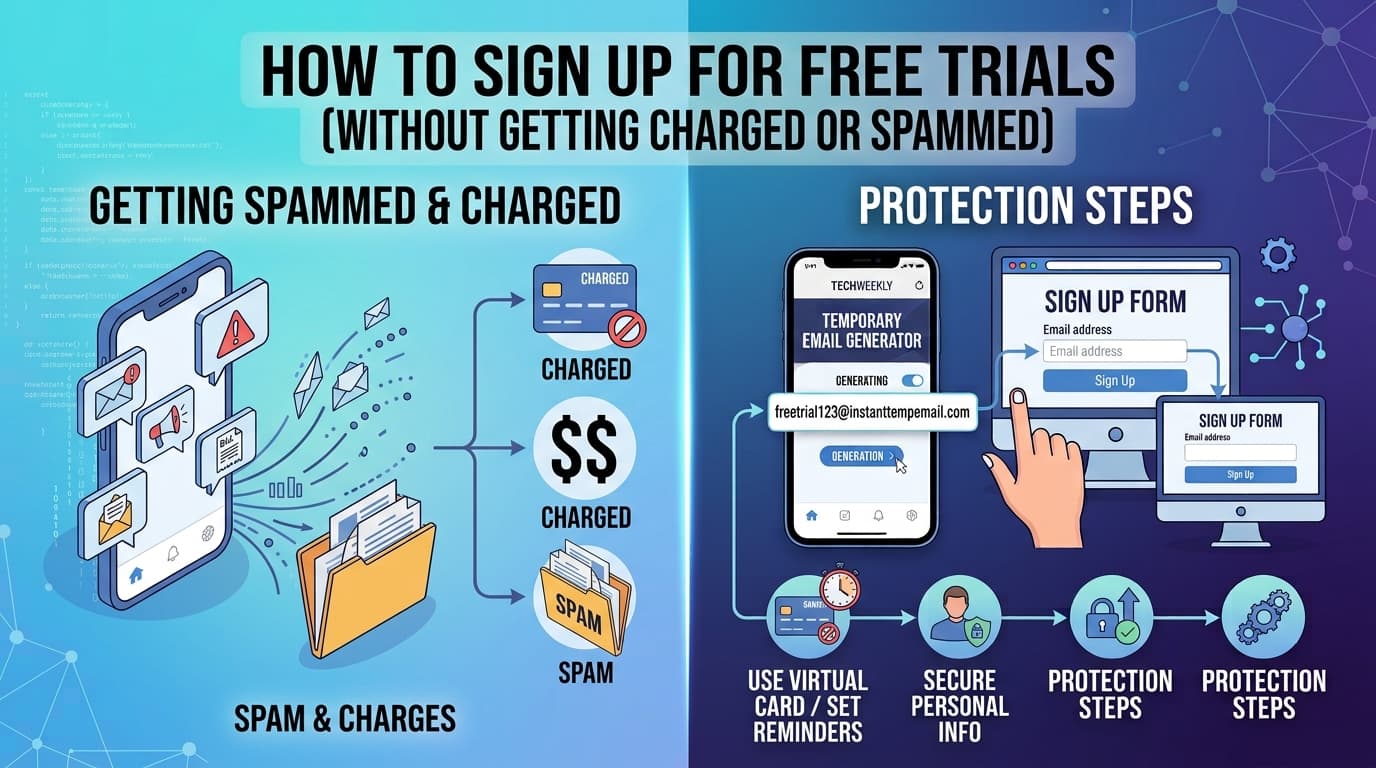
Les essais gratuits convertissent si bien pour les entreprises grâce à un seul mécanisme psychologique : la plupart des gens oublient d'annuler.
La période d'essai se termine, le prélèvement arrive, et au moment où vous le remarquez sur votre relevé, vous avez payé un ou deux mois pour quelque chose que vous ne vouliez pas. Entre-temps, votre boîte de réception reçoit des emails marketing depuis le premier jour.
Ce guide couvre le système complet — email, paiement et calendrier — pour tirer profit des essais gratuits sans être débité ni spammé.
Les deux problèmes des essais gratuits
Problème 1 : Prélèvements automatiques après la fin de l'essai
Presque chaque "essai gratuit" est en réalité un "essai gratuit qui se convertit automatiquement en abonnement payant". L'entreprise parie qu'un pourcentage significatif d'utilisateurs n'annulera pas à temps. Ils ont raison — ça marche, c'est pourquoi chaque entreprise SaaS le fait.
Problème 2 : Emails marketing qui ne s'arrêtent jamais
Lorsque vous saisissez votre vrai email pour un essai, vous vous abonnez à leur liste marketing que vous le vouliez ou non. Même après avoir annulé l'abonnement, les emails marketing continuent. Même après vous être désabonné de la liste marketing, certaines entreprises vous y réajoutent quand vous "réinteragissez" avec leur site.
La solution : un système en trois parties
Partie 1 : Utiliser un email temporaire pour l'inscription à l'essai
Pour tout essai où vous n'avez pas l'intention de garder l'abonnement, utilisez une adresse email jetable d'InstantTempEmail.
Ce que cela résout : Zéro email marketing dans votre vraie boîte de réception, avant ou après l'essai. L'email de confirmation et les emails d'onboarding vont dans la boîte temporaire. Votre vraie adresse n'est jamais dans leur base de données.
Mise en garde importante : Si vous pourriez vouloir continuer l'abonnement après l'essai, utilisez votre vrai email ou un alias permanent — vous aurez besoin d'accès à la boîte pour gérer le compte. N'utilisez l'email temporaire que lorsque vous êtes sûr d'annuler.
Étape par étape :
- Allez sur InstantTempEmail et copiez l'adresse générée
- Utilisez-la dans le formulaire d'inscription à l'essai
- Revenez à la boîte temporaire pour recevoir et cliquer sur l'email de vérification
- Vous avez maintenant un accès complet à l'essai sans pollution de votre boîte
Partie 2 : Gérer soigneusement le moyen de paiement
La plupart des essais qui nécessitent une carte de crédit vous débiteront automatiquement à la fin de l'essai. Vous avez trois options :
Option A : Utiliser un numéro de carte virtuelle
Privacy.com (États-Unis uniquement) vous permet de créer des numéros de carte virtuelle avec des plafonds de dépenses. Créez une carte avec un plafond de 1 $ — l'activation de l'essai passe, mais tout prélèvement supérieur à 1 $ après la fin de l'essai sera automatiquement refusé.
Revolut et certaines autres banques offrent des fonctionnalités similaires de carte virtuelle. Vérifiez si votre banque ou votre fournisseur de carte propose des cartes virtuelles à usage unique ou verrouillées par marchand.
Option B : Utiliser une carte prépayée avec solde zéro
Rechargez une carte Visa ou Mastercard prépayée avec 0 € après l'activation de l'essai. Quand le prélèvement d'abonnement arrive, il est refusé. Remarque : certaines entreprises suspendront votre compte et poursuivront la créance — lisez leurs conditions avant d'utiliser cette approche.
Option C : Annuler immédiatement après l'inscription
C'est l'approche la plus simple et fonctionne sur la plupart des plateformes. Inscrivez-vous à l'essai, puis rendez-vous immédiatement dans les paramètres du compte et annulez l'abonnement. Sur la plupart des plateformes, l'annulation ne met pas fin à l'essai — cela signifie simplement que l'abonnement ne se renouvellera pas automatiquement à la fin de la période d'essai. Vous bénéficiez de l'essai complet, il ne se convertit simplement pas en payant.
Vérifiez ce comportement dans le processus d'annulation de la plateforme avant de vous y fier — quelques services mettent bien fin à l'essai immédiatement à l'annulation.
Partie 3 : Définir un rappel de calendrier 2 jours avant la fin de l'essai
Si vous utilisez une vraie carte et n'avez pas encore annulé, définissez un rappel. Pas le dernier jour — deux jours avant. Cela vous donne le temps d'annuler même si vous êtes occupé et manquez la notification le jour exact.
La plupart des téléphones ont une application de calendrier par défaut. Créez un événement non récurrent intitulé "ANNULER ESSAI [NomDuService]" avec une alarme. Cela prend 30 secondes et a sauvé de nombreuses personnes de prélèvements inattendus.
Quels essais nécessitent réellement une carte de crédit
Tous les essais ne nécessitent pas de coordonnées bancaires. Comprendre le schéma vous aide à décider quelle approche utiliser.
Essais qui nécessitent toujours une carte :
- Netflix, Spotify, Disney+ et la plupart des services de streaming
- La plupart des outils SaaS avec des niveaux payants (gestion de projet, outils de design, outils pour développeurs)
- Les plateformes d'hébergement cloud (les niveaux gratuits d'AWS, GCP, Azure nécessitent souvent une carte pour la vérification)
Essais qui ne nécessitent souvent pas de carte :
- Outils pour développeurs et produits adjacents à l'open source
- Logiciels B2B où l'équipe commerciale contrôle le processus
- Produits avec un niveau gratuit permanent genuinement gratuit (Notion, Figma, niveau gratuit de Slack)
- Logiciels académiques ou éducatifs
Lorsqu'un essai ne nécessite pas de carte de crédit, la seule chose à gérer est l'email. Utilisez une adresse temporaire si vous ne voulez pas d'emails marketing post-essai.
Notes spécifiques aux plateformes
Netflix : Annuler immédiatement après l'inscription met fin à l'essai sur la plupart des forfaits. Gardez cela à l'esprit — n'annulez que si vous avez confirmé que l'essai continue après l'annulation selon leurs conditions actuelles (Netflix a déjà modifié cette politique).
Amazon Prime : Vous pouvez annuler immédiatement après l'inscription et l'essai continue jusqu'à la fin de la période. Le bouton "annuler" est enfoui — allez dans Compte → Abonnement Prime → Terminer l'essai.
Adobe Creative Cloud : Contient un piège de plan annuel — si vous vous inscrivez à l'essai du plan annuel et n'annulez pas pendant la période d'essai, vous pourriez devoir payer des frais d'annulation pour le reste du contrat annuel. Choisissez toujours l'essai du plan mensuel si vous avez le choix.
Spotify : L'essai se convertit automatiquement au plein tarif. Annulez via Compte → Abonnement → Annuler Premium. L'essai continue jusqu'à la fin de la période après l'annulation.
Services Apple (Apple TV+, Apple Arcade, etc.) : Annulez via Réglages iPhone → Votre nom → Abonnements. L'essai continue jusqu'à la fin de la période.
Que faire si vous avez été débité accidentellement
Si vous avez oublié d'annuler et avez été débité, voici le chemin le plus rapide vers une résolution :
Étape 1 : Contactez le service client immédiatement — dans les 24 à 48 heures suivant le prélèvement si possible. La plupart des entreprises rembourseront un premier prélèvement accidentel, surtout si vous n'avez pas utilisé le service depuis la fin de l'essai.
Étape 2 : Si le support refuse, contestez le prélèvement auprès de votre banque ou fournisseur de carte. Présentez-le comme un prélèvement non autorisé si vous n'avez pas été clairement informé des conditions de conversion. Les réseaux de cartes donnent généralement raison aux titulaires de cartes dans ces litiges, et les entreprises le savent — parfois l'offre de remboursement apparaît lorsque vous mentionnez une contestation.
Étape 3 : Annulez l'abonnement immédiatement quel que soit le résultat du remboursement. Ne laissez pas de prélèvements supplémentaires s'accumuler en attendant un remboursement.
Étape 4 : Vérifiez les autres abonnements d'essai oubliés. Si vous faites cela depuis un moment, lancez une recherche dans votre email pour "fin d'essai", "renouvellement d'abonnement" et "reçu" de l'année passée pour auditer ce qui vous facture actuellement.
Foire aux questions
Est-ce contraire aux conditions d'utilisation d'utiliser un email temporaire pour un essai gratuit ? La plupart des conditions d'utilisation exigent une adresse email valide, et un email temporaire est techniquement valide — il reçoit des emails. Cependant, certaines plateformes interdisent explicitement les emails jetables dans leurs CGU. Leur capacité à l'appliquer en pratique est une autre question. Lisez les CGU si vous êtes préoccupé par une plateforme spécifique.
Puis-je obtenir plusieurs essais gratuits du même service en utilisant différents emails temporaires ? Techniquement possible dans certains cas, mais la plupart des services suivent par empreinte d'appareil, adresse IP et moyen de paiement — pas seulement par email. Utiliser différents emails temporaires avec le même appareil et moyen de paiement sera probablement détecté. Cela soulève également des problèmes de violation des CGU.
Quel est le meilleur service de carte virtuelle pour les inscriptions aux essais ? Privacy.com est la référence pour les utilisateurs américains — gratuit, facile à utiliser et bloque véritablement les prélèvements au-dessus de votre plafond défini. Pour les utilisateurs hors États-Unis, la fonctionnalité de carte virtuelle de Revolut ou l'offre de carte virtuelle de votre banque (si disponible) sont les meilleures alternatives.
Si j'utilise un email temporaire pour un essai, puis-je toujours accéder au service ? Oui — tant que la boîte temporaire est en vie et que vous avez les identifiants de connexion (nom d'utilisateur/mot de passe), vous pouvez accéder au service. L'email temporaire n'a d'importance que pour recevoir des emails. Assurez-vous simplement d'avoir sauvegardé votre mot de passe de connexion quelque part puisque vous ne pouvez pas faire de récupération "mot de passe oublié" après expiration de la boîte.
L'annulation d'un essai gratuit affecte-t-elle mon score de crédit ? Non. Les annulations d'essais gratuits n'ont aucun rapport avec les scores de crédit. Seules les demandes de crédit, l'historique des paiements et les niveaux d'endettement affectent les scores de crédit.