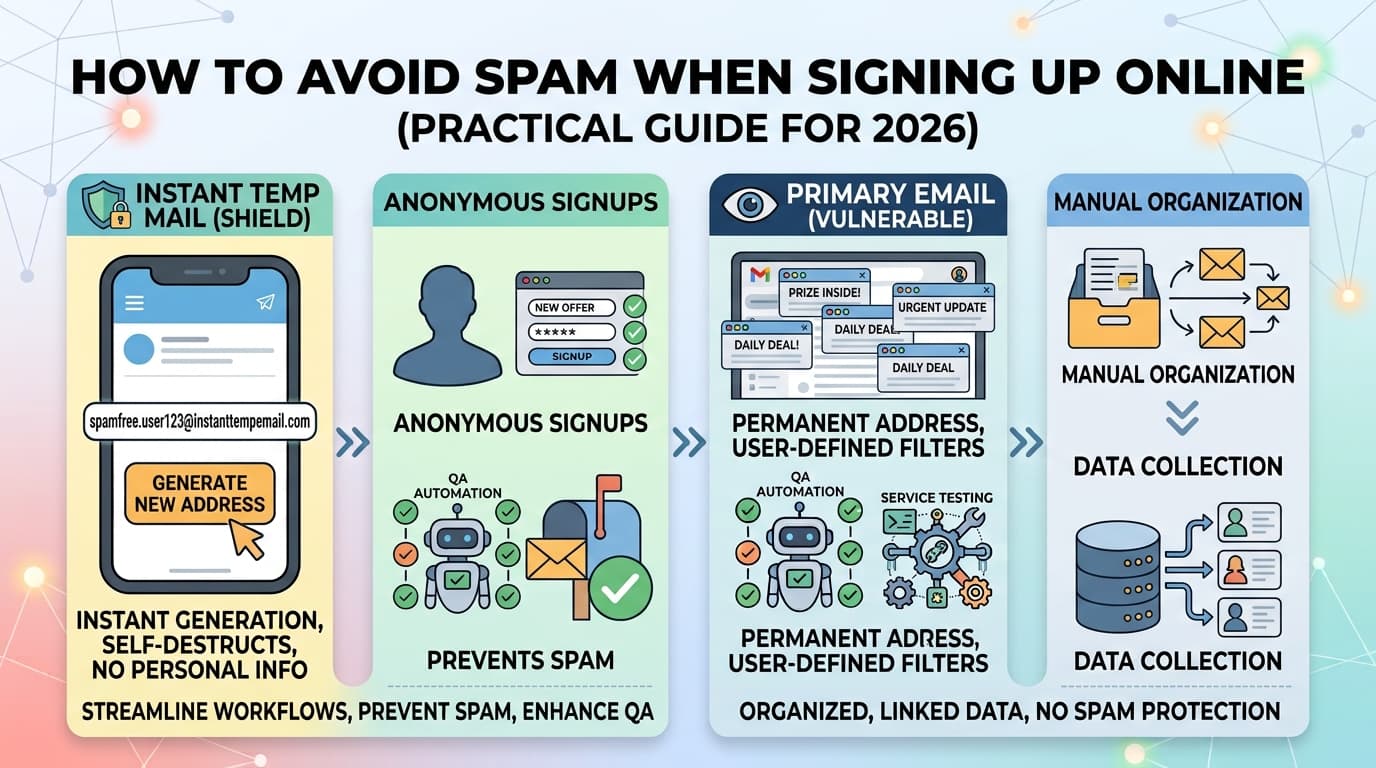
Your inbox is under constant assault. Every signup form you complete is a potential spam source — and once your address is in the wrong database, there's almost no getting it out.
This guide covers the complete toolkit for keeping your inbox clean: from quick wins like temporary email to longer-term strategies like alias routing and filter rules.
Why Spam Is Worse Than You Think
Most people underestimate how aggressively companies monetize email addresses.
When you sign up for a "free" service, the product is often your contact data. The company may:
- Send you promotional emails indefinitely (even after you unsubscribe — unsubscribing just confirms the address is active)
- Sell your address to partner companies and data brokers
- Suffer a data breach that exposes your address to spam networks
- Share data with advertising platforms that use your email as a cross-device tracking identifier
The volume compounds over time. An address used for 5 years of random signups can receive hundreds of spam messages per day.
The Three-Tier Email Strategy
The most effective approach is to use different email addresses for different purposes — not one address for everything.
Tier 1 — Your Real Private Address
One address, shared with almost no one. Used only for:
- Banking and financial accounts
- Government and legal communication
- Close personal contacts
- Primary recovery address for other accounts
This address never goes into a signup form.
Tier 2 — Your Permanent Public Address
A real email (Gmail, Outlook, etc.) used for:
- Services you'll use long-term and need ongoing access to
- Shopping on trusted major retailers
- Professional accounts
This address gets spam over time. Manage it with filters and periodic cleanup.
Tier 3 — Disposable Addresses
Temporary or alias addresses used for:
- One-time downloads, trials, registrations
- Any site you don't fully trust
- Anything where you don't need future inbox access
InstantTempEmail handles Tier 3 instantly — no setup required.
Method 1: Temporary Email (Best for One-Time Signups)
A temporary email address is the fastest and cleanest solution for any signup where you don't need future inbox access.
When to use it
- Free trial activations
- Downloading gated PDFs, templates, or tools
- Forum or community signups you'll use once
- Coupon and discount code sites
- Any "enter your email to continue" gate
How to use it — step by step
- Open InstantTempEmail in a new tab
- Copy the auto-generated address
- Paste it into the signup form
- Return to the temp inbox to receive the verification email
- Click confirm — done
Total time: under 30 seconds. Your real inbox receives zero emails from that service, now or ever.
Limitations to know
- Some platforms blocklist known temp mail domains — if rejected, try a different temp service or use an alias instead
- You can't log back into the account later if you forget the temp address (the inbox expires)
- Don't use for anything you'll need ongoing access to
Method 2: Email Aliases (Best for Long-Term Use)
An email alias is a forwarding address that routes emails to your real inbox. You can disable or delete the alias at any time to stop the forwarding.
How aliases work
You create an alias like shopping.nike@yourdomain.com or use a service that generates them for you. Emails sent to that alias are forwarded to your real inbox. If Nike starts spamming you, you delete the alias — not your real address.
Tools for email aliases
SimpleLogin (free tier available)
- Open source
- Works with your own domain or their domain
- Browser extension for one-click alias creation
- Can reply from the alias
AnonAddy (free tier available)
- Similar to SimpleLogin
- Unlimited aliases on free plan (with bandwidth limits)
- Good API for developers
Apple Hide My Email (requires iCloud+)
- Built into Safari and iOS
- One-click alias generation when signing up
- Tight Apple ecosystem integration
Fastmail / Hey
- Paid email providers with alias features built in
- Better for users who want a full email experience with privacy
Alias vs temporary email — which to choose
Use a temporary email when:
- You need a one-time download or trial
- You want zero setup — just open and use
- You never need to log into the account again
Use an alias when:
- You'll log into the account again later
- You need to receive ongoing emails but stay private
- You want to reply from a private address
Method 3: Gmail Filtering (Free, Works With Existing Address)
If you use Gmail, you can use the + trick combined with aggressive filters to manage signup spam without changing your address.
The Gmail + tag method
Gmail ignores everything after a + in the local part of your address. So yourname+amazon@gmail.com and yourname@gmail.com are the same inbox.
Use a unique tag per service:
yourname+amazon@gmail.comfor Amazonyourname+netflix@gmail.comfor Netflix
Then create a filter: if to:yourname+amazon@gmail.com, apply label "Amazon" and skip the inbox.
Setting up the filter in Gmail
- In Gmail, click the search bar → Show search options
- In the To field, enter
yourname+servicename@gmail.com - Click Create filter
- Choose: Skip the Inbox, Apply label, or Delete it
This keeps your inbox clean and lets you audit which service is generating spam.
Limitation: the + trick is easily stripped
Many companies (and spam bots) automatically strip the +tag portion before storing your address, so they end up with your real address anyway. It's useful for filtering but provides no actual privacy protection.
Method 4: Using a Separate Domain (For Developers and Power Users)
If you own a domain, you can set up a catch-all address — any email sent to anything@yourdomain.com goes to one inbox. This lets you invent addresses on the fly without configuring anything.
Setting up a catch-all on Cloudflare Email Routing (free)
- Add your domain to Cloudflare
- Go to Email → Email Routing
- Enable Catch-all and set it to forward to your real address
- Done — any address at your domain now works
Now when signing up for a service, use servicename@yourdomain.com. If that address starts receiving spam, you can block it specifically in your email client.
Setting up on Google Workspace
- Go to Admin Console → Apps → Google Workspace → Gmail
- Under Default routing, add a catch-all routing rule
- Route unrecognized addresses to a specific mailbox
This approach scales well for power users managing dozens of services.
Method 5: Unsubscribe Properly (And When Not To)
For spam you're already receiving, unsubscribing is sometimes the right move — but not always.
When to unsubscribe
- Legitimate companies you actually signed up with (retailers, SaaS tools, newsletters)
- Emails that include a working "Unsubscribe" link in the footer
- Mailing lists you can identify the source of
When NOT to unsubscribe
- Emails from senders you don't recognize
- Emails where the unsubscribe link looks suspicious or goes to an unknown domain
- Mass spam with no obvious legitimate source
Clicking unsubscribe on spam from unknown senders confirms your address is active, which increases the value of your address to spammers and often results in more spam.
The right way to handle unknown spam
Mark it as spam in your email client. Don't click anything in the email, including images (loading an image can confirm your address is active via tracking pixel). Your spam filter learns from your reports and gets better over time.
Recognizing Which Signups Will Spam You
Not all signups carry the same spam risk. Here's how to evaluate before you enter your real email:
High spam risk:
- Coupon, deals, and cashback sites
- Contest and giveaway entries
- Free trial signups with no clear paid tier
- Sites that say "we'll send you exclusive offers"
- Any site that requires email but provides no clear reason why
- Sites with long, complex privacy policies that mention "partners" and "affiliates" extensively
Lower spam risk:
- Paid SaaS products (they want you to use the product, not spam you)
- Open source tools and developer services
- Government and institutional sites
- Sites where the email is used only for account security
When in doubt, use a temp email. If the service turns out to be legitimate and you want ongoing access, you can always create a real account later.
Building a Spam-Resistant Email Setup: Summary
Here's the complete setup, from simplest to most comprehensive:
Level 1 (5 minutes): Start using InstantTempEmail for any signup where you don't need future access. Zero configuration.
Level 2 (30 minutes): Set up Gmail + tags with filters for services you do need ongoing access to. Organize by label.
Level 3 (2 hours): Create a SimpleLogin or AnonAddy account. Generate aliases for every new service signup. Disable aliases that become spam sources.
Level 4 (half day): Set up catch-all email routing on a domain you own. Use service-specific addresses for everything. Full control, full auditability.
Each level builds on the previous one. Most people get 90% of the benefit from Level 1 alone.
Frequently Asked Questions
Does marking email as spam actually help? Yes. In Gmail, Outlook, and most major clients, spam reports are fed back into the spam detection system. Consistent reporting trains the filter and helps other users too.
Can I stop spam I'm already receiving from a data broker? Data brokers are required to honor opt-out requests in many jurisdictions (GDPR in Europe, CCPA in California). Services like DeleteMe or Kanary automate data broker opt-outs. It takes time but does reduce spam long-term.
Is it safe to use a temp email for 2FA? If the 2FA is email-based (a code sent to your inbox), yes — as long as the temp inbox is still active when the code arrives. Don't use temp email for 2FA on accounts you'll need long-term access to.
What is the best free option for email aliases? SimpleLogin's free tier (10 aliases) and AnonAddy's free tier (unlimited aliases with bandwidth limits) are both strong. For Apple users, Hide My Email is the most seamless option.
Will using a temp email get my account banned? It depends on the platform. Most platforms don't check. Some check against disposable email domain lists. A small number of high-security platforms (banks, government services) actively reject disposable addresses. For those, use your real address or an alias that forwards reliably.