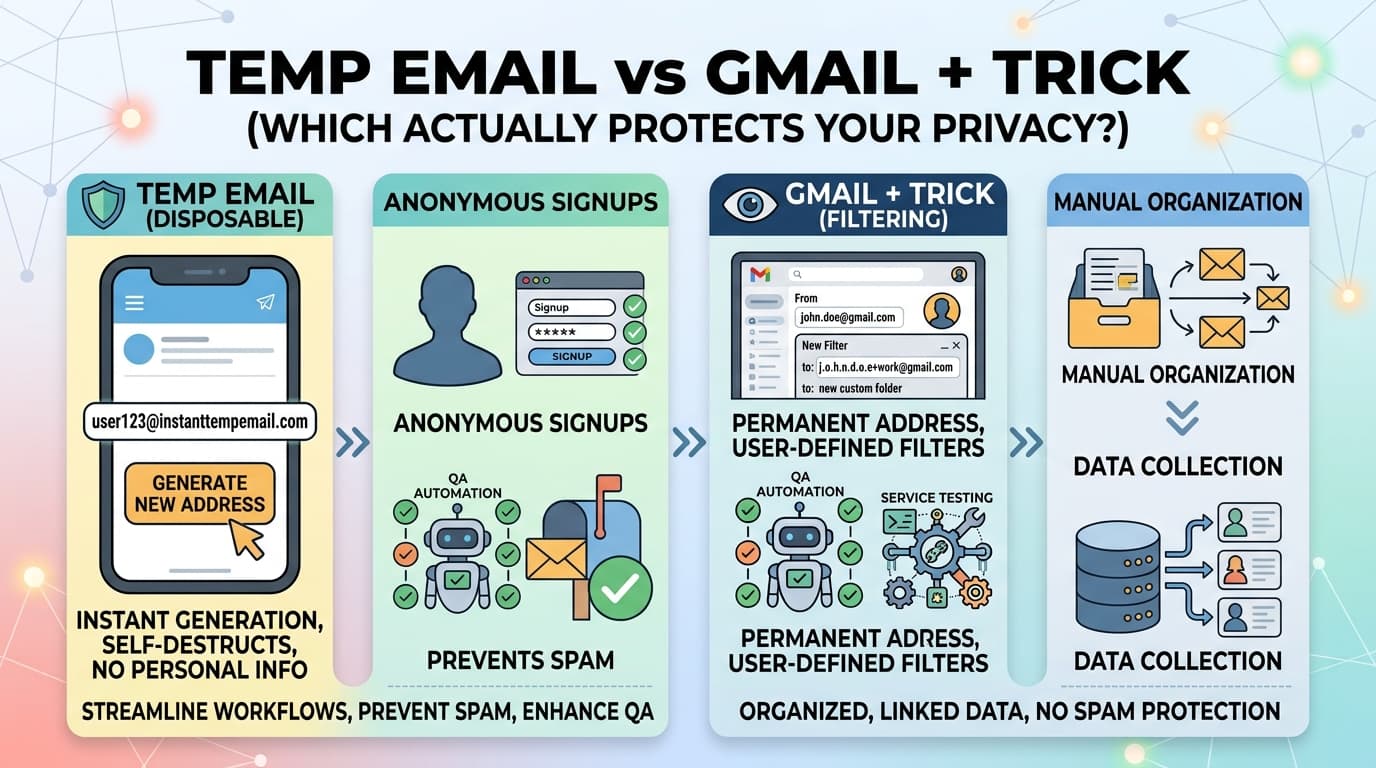
L'astuce Gmail + est l'un des conseils de confidentialité email les plus partagés sur internet. L'idée est simple : ajoutez un tag à votre adresse Gmail (votrenom+amazon@gmail.com) pour suivre quels services vous envoient du spam.
C'est ingénieux. Ce n'est pas non plus vraiment de la protection de la vie privée.
Cet article décrit précisément comment chaque méthode fonctionne techniquement, où chacune échoue, et laquelle utiliser dans quelle situation.
Comment fonctionne l'astuce Gmail +
Gmail traite la partie locale d'une adresse email (tout ce qui précède @) avec une règle spécifique : tout ce qui suit un caractère + est ignoré pour la livraison.
Ainsi, ces trois adresses arrivent toutes dans la même boîte de réception :
jean.dupont@gmail.comjean.dupont+amazon@gmail.comjean.dupont+nimportequoi@gmail.com
Cela vous permet de créer des "adresses" illimitées sans créer de nouveaux comptes, et de filtrer les emails entrants par le tag utilisé.
Ce à quoi elle sert vraiment
- Filtrage — Créez un filtre Gmail sur
to:votrenom+amazon@gmail.compour étiqueter, archiver ou supprimer automatiquement les emails de cette source - Détection des fuites — Si
votrenom+service@gmail.comcommence à recevoir des spams d'expéditeurs sans rapport, vous savez que ce service a vendu ou divulgué votre adresse - Organisation — Séparez automatiquement les newsletters, les reçus d'achats et les notifications dans des dossiers étiquetés
Le défaut critique
Le +tag ne masque votre vraie adresse d'aucune façon. Il est ajouté à votre vrai nom d'utilisateur, et l'adresse de base est entièrement visible. Toute entreprise (ou base de données spam) qui reçoit votrenom+amazon@gmail.com peut trivialement extraire votrenom@gmail.com.
De nombreuses entreprises suppriment le +tag avant de stocker votre adresse dans leur base de données — intentionnellement ou parce que leur système de validation d'email normalise les adresses. Lorsqu'elles vendent ou divulguent leur base de données d'utilisateurs, c'est votre vraie adresse qui est exposée.
Testez-le vous-même : Inscrivez-vous à quelques services avec des +tags. Vérifiez quelle adresse est stockée dans les paramètres de votre compte. Vous constaterez souvent que le tag a été supprimé.
Comment fonctionne l'email temporaire
Une adresse email temporaire est une adresse complètement séparée, générée aléatoirement, sans connexion avec votre identité réelle.
xk7p2m@instanttempemail.com
Cette adresse :
- N'est pas liée à votre nom ou à tout autre compte
- Existe sur un serveur de messagerie appartenant au service de messagerie temporaire
- Reçoit des emails normalement pendant une période définie
- Expire et est définitivement supprimée
Il n'y a pas d'adresse de base à extraire. Pas de nom d'utilisateur à connecter à votre identité. Pas de lien inter-services.
Ce pour quoi elle est utile
- Isolation complète de la boîte de réception — Les emails à l'adresse temporaire n'atteignent jamais votre vraie boîte
- Zéro lien d'identité — L'adresse ne peut pas être retracée jusqu'à vous
- Aucun compte requis — Fonctionne en moins de 30 secondes sans configuration
- Usage unique — Parfait pour les inscriptions où vous n'avez pas besoin d'accès continu
Ce qu'elle ne peut pas faire
- Vous ne pouvez pas accéder à la boîte après son expiration
- Vous ne pouvez pas envoyer d'emails depuis elle
- Certaines plateformes bloquent les domaines d'email temporaire connus
- Ne convient pas aux comptes dans lesquels vous devrez vous reconnecter
Comparaison technique côte à côte
Gmail + Astuce
- Cache votre adresse réelle : Non
- Aucun compte requis : Oui
- Peut recevoir des emails indéfiniment : Oui
- Peut envoyer/répondre : Oui
- Résiste aux fuites de données : Non
- Les emails arrivent dans votre boîte principale : Oui
- Peut être bloqué par des plateformes : Non
- Adapté aux comptes à long terme : Oui
- Filtrable dans Gmail : Oui
- Gratuit : Oui
Email Temporaire
- Cache votre adresse réelle : Oui
- Aucun compte requis : Oui
- Peut recevoir des emails indéfiniment : Non (expire)
- Peut envoyer/répondre : Non
- Résiste aux fuites de données : Oui
- Les emails arrivent dans votre boîte principale : Non
- Peut être bloqué par des plateformes : Parfois
- Adapté aux comptes à long terme : Non
- Filtrable : Non
- Gratuit : Oui
Alias Email
- Cache votre adresse réelle : Oui
- Aucun compte requis : Généralement non
- Peut recevoir des emails indéfiniment : Oui
- Peut envoyer/répondre : Parfois
- Résiste aux fuites de données : Oui
- Les emails arrivent dans votre boîte principale : Oui (via transfert)
- Peut être bloqué par des plateformes : Rarement
- Adapté aux comptes à long terme : Oui
- Filtrable : Oui
- Gratuit : Généralement
Le test de violation de données
Voici la façon la plus claire de comprendre la différence :
Scénario : Vous vous inscrivez à un service en utilisant chaque méthode. Ce service subit une violation de données et leur base de données d'utilisateurs est divulguée en ligne.
Avec l'astuce Gmail + : La base de données violée contient votrenom+service@gmail.com. Toute personne qui traite cette base de données peut extraire votrenom@gmail.com — votre vraie adresse — en une seule opération regex. Votre vraie adresse est maintenant dans les réseaux de spam.
Avec l'email temporaire : La base de données violée contient xk7p2m@instanttempemail.com. Cette adresse a expiré et été supprimée. Il n'y a aucun lien vers vous. Votre vraie adresse n'est pas exposée.
Avec un alias : La base de données violée contient votrenom-service@simplelogin.com. Votre vraie adresse n'est pas exposée. Vous pouvez désactiver l'alias pour arrêter tout transfert depuis cette source.
L'astuce Gmail + fournit organisation et suivi. Elle ne fournit pas de protection dans un scénario de violation.
Quand utiliser chaque méthode
Utilisez l'astuce Gmail + quand :
- Vous voulez organiser votre boîte de réception existante par source
- Vous voulez détecter quel service a divulgué ou vendu votre adresse
- Vous devez conserver le compte à long terme et y accéder depuis votre boîte principale
- La plateforme rejette les domaines d'email temporaire
Exemple : Inscription à un outil SaaS que vous utiliserez quotidiennement. Vous voulez que les emails soient livrés dans votre boîte mais organisés sous une étiquette. Utilisez votrenom+nomoutil@gmail.com avec un filtre pour étiqueter et éventuellement ignorer la boîte de réception.
Utilisez un email temporaire quand :
- Vous devez vérifier une inscription mais n'aurez pas besoin d'accès futur à la boîte
- Vous voulez télécharger quelque chose derrière un formulaire email
- Vous vous inscrivez à un essai que vous ne continuerez peut-être pas
- Vous voulez zéro connexion entre l'inscription et votre identité
Exemple : Un site web offre un guide PDF gratuit si vous entrez votre email. Vous voulez le PDF, pas la newsletter. Utilisez une adresse temporaire d'InstantTempEmail, récupérez le lien de téléchargement dans l'email de confirmation, terminé.
Utilisez un alias d'email quand :
- Vous avez besoin du compte à long terme mais voulez de la confidentialité
- Vous voulez pouvoir couper un service spécifique sans affecter les autres
- Vous voulez répondre depuis une adresse privée
Exemple : Vous vous inscrivez sur un site e-commerce où vous ferez régulièrement des achats. Vous voulez les emails de confirmation de commande mais ne voulez pas que le site ait votre vraie adresse. Utilisez un alias SimpleLogin — vous recevez tous les emails, mais pouvez désactiver l'alias s'ils commencent à spammer.
Une configuration pratique qui combine les trois
Vous n'avez pas à choisir une seule méthode. La meilleure approche utilise les trois pour différentes situations :
Vraie adresse      → banque, gouvernement, contacts proches
Tags Gmail +       → services de confiance utilisés régulièrement, pour le filtrage
Email temporaire   → inscriptions ponctuelles, essais, téléchargements gated
Service d'alias    → services récurrents où vous voulez confidentialité + accès continu
Cela signifie que votre vraie adresse reste propre même si un service individuel est violé, vendu ou devient malveillant.
L'astuce Gmail + fonctionne-t-elle sur d'autres fournisseurs d'email ?
La plupart des principaux fournisseurs supportent un sous-adressage similaire :
Gmail — utilisateur+tag@gmail.com
Outlook / Hotmail — utilisateur+tag@outlook.com
Yahoo Mail — utilisateur-tag@yahoo.com (utilise - au lieu de +)
FastMail — utilisateur+tag@fastmail.com
ProtonMail — utilisateur+tag@proton.me
iCloud — utilisateur+tag@icloud.com
Tous ont la même limitation fondamentale : l'adresse de base est visible et extractible. Le niveau de protection est identique entre les fournisseurs — organisationnel uniquement, pas de protection de la vie privée.
Foire aux questions
Google bloque-t-il ou filtre-t-il l'astuce + pour qu'elle ne fonctionne pas ? Non. Gmail supporte officiellement le sous-adressage et il fonctionne de manière fiable pour la livraison. La limitation est du côté du destinataire — les entreprises qui suppriment le tag avant de stocker votre adresse.
Puis-je utiliser l'astuce + avec Google Workspace (email professionnel) ? Oui, Google Workspace supporte le sous-adressage par défaut. Votre administrateur peut le désactiver, mais la plupart ne le font pas.
Pourquoi certains sites rejettent-ils mon adresse email avec + ?
Mauvaise validation d'email. Certains formulaires utilisent des modèles regex qui n'autorisent pas + dans la partie locale, même si c'est valide selon la spécification RFC email. C'est un bug dans leur validation, pas un problème Gmail.
Y a-t-il un moyen de faire en sorte que l'astuce + cache vraiment votre vraie adresse ? Non. Par conception, l'adresse de base est toujours présente et visible. Si vous avez besoin de cacher votre vraie adresse, utilisez un email temporaire ou un service d'alias.
Quel est le meilleur service d'alias gratuit ? SimpleLogin (niveau gratuit : 10 alias, open source) et AnonAddy (niveau gratuit : alias illimités avec plafond de bande passante) sont les deux meilleures options gratuites. Apple Hide My Email est excellent si vous êtes dans l'écosystème Apple avec iCloud+.
Si j'utilise un email temporaire et perds l'adresse, puis-je récupérer le compte ? Généralement non. La plupart des comptes permettent la récupération de mot de passe uniquement via l'email enregistré. Si l'adresse temporaire a expiré, les emails de récupération de mot de passe n'arrivent nulle part. N'utilisez un email temporaire que pour les comptes dont vous pouvez vous permettre de perdre l'accès.