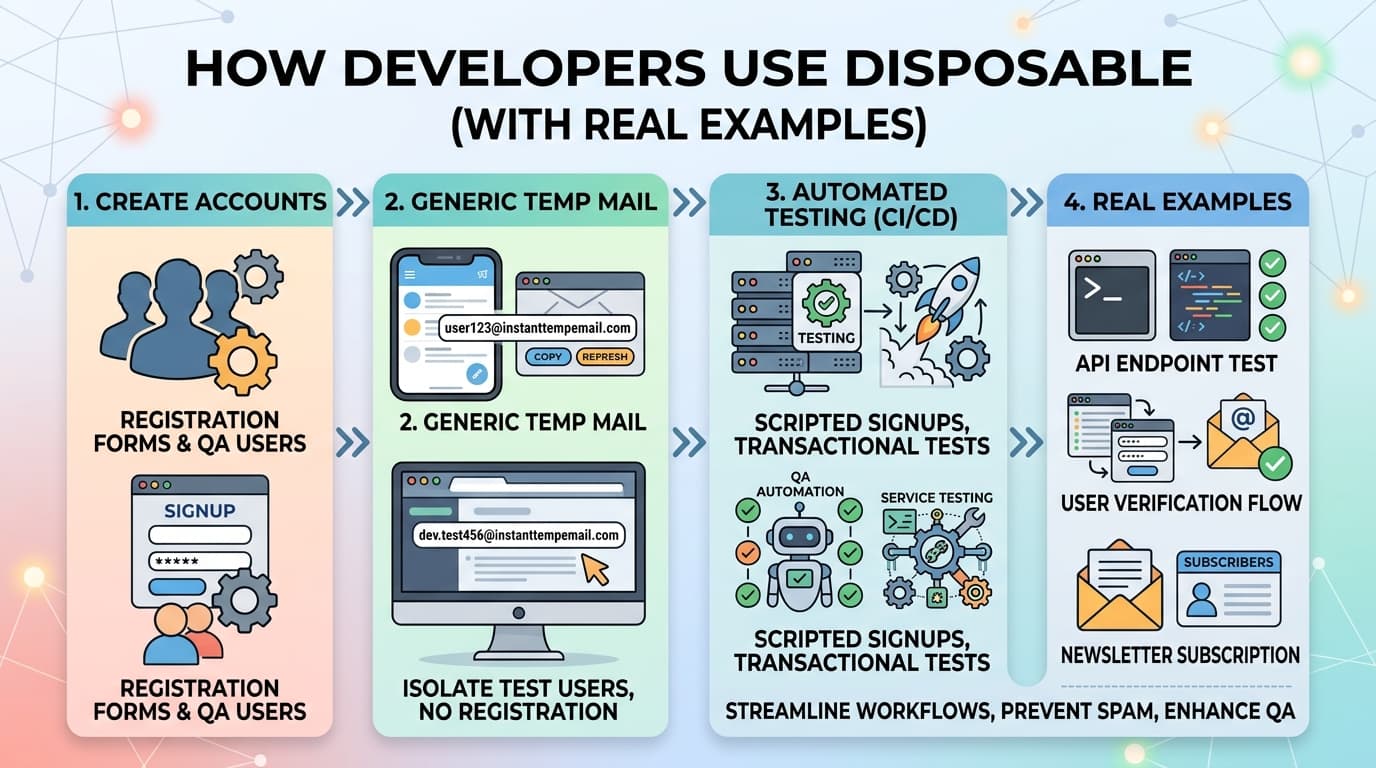
Les flux d'emails font partie des aspects les plus difficiles d'une application web à tester correctement. Les confirmations d'inscription, les réinitialisations de mot de passe, les emails transactionnels, les séquences d'onboarding — tous nécessitent une boîte de réception fonctionnelle pour être vérifiés.
Utiliser de vraies adresses email pour cela est une mauvaise idée : cela encombre les boîtes de réception, risque d'envoyer des emails de test à de vrais utilisateurs, et ne s'adapte pas aux tests automatisés. Les adresses email jetables et temporaires résolvent ces trois problèmes.
Ce guide couvre l'ensemble des outils disponibles — des tests manuels rapides avec une boîte temporaire jusqu'à la vérification d'emails entièrement automatisée dans les pipelines CI/CD.
Le problème fondamental des tests d'email
Lorsque vous construisez un flux d'email, vous devez vérifier :
- L'email a bien été envoyé
- Il a été livré (sans rebond ni filtrage spam)
- Le contenu est correct (sujet, corps, liens)
- Les liens dans l'email fonctionnent correctement (liens de confirmation, tokens de réinitialisation de mot de passe)
- Le flux se termine correctement après le clic sur le lien
Faire cela avec de vraies adresses email crée plusieurs problèmes :
- Pollution des boîtes de réception — Les boîtes de votre équipe se remplissent de centaines d'emails de test
- Envois accidentels à de vrais utilisateurs — Une variable d'environnement mal configurée et vos emails de test vont aux utilisateurs de production
- Pas d'accès programmatique — Vous ne pouvez pas lire une vraie boîte depuis un pipeline CI/CD sans OAuth ou configuration IMAP
- Boucles de rétroaction lentes — Vérifier manuellement une vraie boîte pour chaque exécution de test ne passe pas à l'échelle
Catégories d'outils pour les tests d'email
Il existe quatre approches principales, chacune adaptée à des situations différentes :
1. Boîtes de réception jetables publiques (tests manuels)
Des services comme InstantTempEmail, Guerrilla Mail ou 10 Minute Mail vous donnent une boîte de réception fonctionnelle instantanément. Utilisez-les lorsque vous testez manuellement un flux et avez juste besoin de recevoir rapidement un email de vérification.
Quand les utiliser :
- Tests de développement local d'un nouveau flux d'email
- Vérifications QA ponctuelles pendant le développement
- Tester comment votre email s'affiche dans une vraie boîte de réception
Quand ne pas les utiliser :
- Tests automatisés — vous ne pouvez pas lire ces boîtes programmatiquement dans une suite de tests
2. Intercepteurs SMTP de développement (automatisés, isolés)
Ces outils interceptent tous les emails sortants dans votre environnement de développement ou de staging — rien n'est réellement livré à de vraies adresses. Vous inspectez les emails capturés via une interface web ou une API.
Mailtrap est le plus utilisé. Vous configurez votre application pour envoyer via leur serveur SMTP dans les environnements hors production. Tous les emails vont dans une boîte sandbox.
MailHog est une alternative auto-hébergée — une application Go légère qui exécute un serveur SMTP et une interface web localement. Zéro coût, zéro dépendance externe.
Mailpit est un remplaçant plus récent de MailHog avec une meilleure interface et un développement actif.
3. Boîtes de réception API publiques (automatisées, avec accès à la boîte)
Des services comme Mailinator fournissent des boîtes accessibles via API HTTP. Vous envoyez un email à testuser@mailinator.com depuis votre application, puis vous vérifiez la boîte via leur API dans votre suite de tests.
Quand les utiliser :
- Tests de bout en bout qui doivent vérifier le contenu des emails et cliquer sur les liens
- Pipelines CI/CD où vous avez besoin d'accès à la boîte sans OAuth
- Test des flux déclenchés par email (confirmation → redirection → onboarding)
4. Services de test d'email transactionnel
Des services comme Mailtrap (leur produit de test, distinct du sandbox), le mode test de Postmark, ou le mode sandbox de SendGrid testent le pipeline complet d'envoi d'email — appels API, rendu, délivrabilité — sans réellement envoyer.
Configurer MailHog pour le développement local
MailHog est le moyen le plus simple de configurer les tests d'email localement. Il exécute un serveur SMTP qui capture tous les emails sortants et les affiche dans une interface web.
Installation avec Docker Compose
Ajoutez MailHog à votre docker-compose.yml :
services:
  mailhog:
    image: mailhog/mailhog
    ports:
      - "1025:1025"   # Port SMTP
      - "8025:8025"   # Port interface web
    restart: unless-stopped
Configurer votre application pour utiliser MailHog
Dans votre .env pour le développement :
MAIL_HOST=localhost
MAIL_PORT=1025
MAIL_USERNAME=
MAIL_PASSWORD=
MAIL_ENCRYPTION=null
Tous les emails que votre application envoie en développement vont maintenant à MailHog. Accédez à la boîte sur http://localhost:8025.
Pourquoi c'est mieux que le vrai email en développement
- Les emails ne quittent jamais votre machine — pas d'envois accidentels à de vrais utilisateurs
- Livraison instantanée — pas d'attente pour la livraison SMTP réelle
- Contenu complet de l'email visible dans le navigateur — en-têtes, HTML, parties texte, pièces jointes
- Aucune authentification requise
- Facile à vider entre les exécutions de tests
Tests d'email automatisés avec l'API Mailinator
Pour les tests de bout en bout qui doivent lire les emails programmatiquement, l'API de Mailinator est l'option la plus directe.
Le niveau gratuit a des limites, mais leur API payante est abordable pour la plupart des équipes.
Vérification basique de boîte avec fetch
async function getLatestEmail(inboxName) {
  const response = await fetch(
    `https://mailinator.com/api/v2/domains/mailinator.com/inboxes/${inboxName}`,
    {
      headers: {
        Authorization: process.env.MAILINATOR_API_KEY
      }
    }
  )

  const data = await response.json()

  if (!data.msgs || data.msgs.length === 0) {
    throw new Error(`Aucun email trouvé dans la boîte : ${inboxName}`)
  }

  return data.msgs[0] // Email le plus récent
}

async function getEmailBody(messageId) {
  const response = await fetch(
    `https://mailinator.com/api/v2/domains/mailinator.com/inboxes/test/messages/${messageId}`,
    {
      headers: {
        Authorization: process.env.MAILINATOR_API_KEY
      }
    }
  )

  return response.json()
}
Test d'inscription de bout en bout complet avec Playwright
import { test, expect } from '@playwright/test'

const TEST_EMAIL = `e2e-test-${Date.now()}@mailinator.com`

test('inscription utilisateur et confirmation par email', async ({ page }) => {
  // Étape 1 : S'inscrire sur le site
  await page.goto('https://staging.votreapp.com/register')
  await page.fill('[name="email"]', TEST_EMAIL)
  await page.fill('[name="password"]', 'TestPassword123!')
  await page.click('[type="submit"]')

  // Attendre la redirection vers la page "vérifiez votre email"
  await expect(page).toHaveURL(/check-email/)

  // Étape 2 : Attendre et récupérer l'email de confirmation
  const email = await waitForEmail(TEST_EMAIL.split('@')[0], {
    timeout: 30000,
    subject: 'Confirmez votre email'
  })

  // Étape 3 : Extraire le lien de confirmation du corps de l'email
  const confirmUrl = extractConfirmationLink(email.body)
  expect(confirmUrl).toBeTruthy()

  // Étape 4 : Visiter le lien de confirmation
  await page.goto(confirmUrl)

  // Étape 5 : Vérifier la confirmation réussie
  await expect(page).toHaveURL(/dashboard/)
  await expect(page.locator('h1')).toContainText('Bienvenue')
})

async function waitForEmail(inbox, options = {}) {
  const { timeout = 15000, subject } = options
  const startTime = Date.now()

  while (Date.now() - startTime < timeout) {
    const response = await fetch(
      `https://mailinator.com/api/v2/domains/mailinator.com/inboxes/${inbox}`,
      { headers: { Authorization: process.env.MAILINATOR_API_KEY } }
    )

    const data = await response.json()
    const emails = data.msgs || []

    const match = subject
      ? emails.find(e => e.subject?.includes(subject))
      : emails[0]

    if (match) {
      // Récupérer le corps complet de l'email
      const bodyResponse = await fetch(
        `https://mailinator.com/api/v2/domains/mailinator.com/inboxes/${inbox}/messages/${match.id}`,
        { headers: { Authorization: process.env.MAILINATOR_API_KEY } }
      )
      return bodyResponse.json()
    }

    await new Promise(resolve => setTimeout(resolve, 1000))
  }

  throw new Error(`Email non reçu dans les ${timeout}ms`)
}

function extractConfirmationLink(emailBody) {
  const htmlContent = emailBody.parts?.[0]?.body || ''
  const urlPattern = /https?:\/\/[^\s"'<>]+confirm[^\s"'<>]*/i
  const match = htmlContent.match(urlPattern)
  return match?.[0] || null
}
Utiliser des adresses uniques par exécution de test
Une erreur courante est de réutiliser la même adresse email de test entre les exécutions. Les anciens emails polluent la boîte et les tests peuvent récupérer le mauvais email.
Modèle : adresses uniques basées sur l'horodatage
// Générer une boîte unique par exécution de test
const testRunId = Date.now()
const email = `registration-test-${testRunId}@mailinator.com`
Modèle : basé sur UUID par test
import { randomUUID } from 'crypto'

function testEmail(prefix = 'test') {
  return `${prefix}-${randomUUID().slice(0, 8)}@mailinator.com`
}

// Utilisation
const email = testEmail('registration') // registration-a1b2c3d4@mailinator.com
Cela garantit que chaque exécution de test dispose d'une boîte fraîche sans historique.
Configurer Mailpit (remplacement moderne de MailHog)
Mailpit a une meilleure interface, un développement actif et plus de fonctionnalités que MailHog. C'est le meilleur choix pour les nouvelles installations.
# docker-compose.yml
services:
  mailpit:
    image: axllent/mailpit
    ports:
      - "1025:1025"   # SMTP
      - "8025:8025"   # Interface web
    environment:
      MP_MAX_MESSAGES: 500
      MP_DATABASE: /data/mailpit.db
      MP_SMTP_AUTH_ACCEPT_ANY: 1
      MP_SMTP_AUTH_ALLOW_INSECURE: 1
    volumes:
      - mailpit_data:/data

volumes:
  mailpit_data:
Mailpit dispose également d'une API REST pour l'accès programmatique à la boîte, ce qui le rend viable pour les tests automatisés dans un environnement Docker Compose :
// API Mailpit — pour utilisation dans les configurations Docker Compose locales/CI
async function getMailpitInbox() {
  const response = await fetch('http://localhost:8025/api/v1/messages')
  return response.json()
}

async function deleteAllMessages() {
  await fetch('http://localhost:8025/api/v1/messages', { method: 'DELETE' })
}
Videz la boîte au début de chaque exécution de test avec deleteAllMessages() pour garantir un état propre.
Prévenir les envois accidentels en production
C'est critique. Une variable d'environnement mal configurée qui pointe le staging vers les identifiants SMTP de production enverra de vrais emails à de vrais utilisateurs.
Approche 1 : Commutation SMTP basée sur l'environnement
// email.config.js
const emailConfig = {
  development: {
    host: 'localhost',
    port: 1025,
    secure: false,
    auth: null
  },
  test: {
    host: 'localhost',
    port: 1025,
    secure: false,
    auth: null
  },
  staging: {
    host: process.env.MAILHOG_HOST || 'mailhog',
    port: 1025,
    secure: false
  },
  production: {
    host: process.env.SMTP_HOST,
    port: 587,
    secure: true,
    auth: {
      user: process.env.SMTP_USER,
      pass: process.env.SMTP_PASS
    }
  }
}

export const smtpConfig = emailConfig[process.env.NODE_ENV] || emailConfig.development
Approche 2 : Liste blanche de domaines pour les environnements hors production
function shouldSendEmail(toAddress) {
  if (process.env.NODE_ENV === 'production') return true

  const allowedTestDomains = [
    'mailinator.com',
    'guerrillamail.com',
    'instanttempemail.com',
    'votreentreprise.com'  // Adresses de test internes
  ]

  const domain = toAddress.split('@')[1]
  return allowedTestDomains.includes(domain)
}
Tester le rendu des emails sur différents clients
Les outils ci-dessus vérifient la livraison et le contenu des emails, mais pas comment l'email s'affiche dans différents clients. Le HTML des emails se comporte différemment selon Gmail, Outlook, Apple Mail et les clients mobiles.
Pour les tests de rendu, utilisez Email on Acid ou Litmus — ils génèrent des captures d'écran de votre email sur plus de 90 clients. Les deux ont des essais gratuits.
Pour des vérifications plus simples, la fonctionnalité aperçu email de Mailtrap affiche votre email dans les contextes des clients courants.
Foire aux questions
Puis-je utiliser Gmail ou Outlook pour les tests automatisés ? Techniquement oui, en utilisant OAuth ou l'accès IMAP. En pratique, c'est plus lent, plus complexe à configurer, et introduit des limites de taux et une gestion de l'authentification. Les outils dédiés sont toujours plus rapides et plus fiables.
Quelle est la différence entre Mailtrap et MailHog ? Mailtrap est un service SaaS hébergé — vos emails sont envoyés à leurs serveurs et consultables dans leur interface web. MailHog est auto-hébergé — il tourne sur votre machine ou dans votre configuration Docker Compose. MailHog a zéro coût et zéro donnée quittant votre environnement. Mailtrap est plus facile à partager entre une équipe.
Est-il sûr d'utiliser Mailinator pour des données de test sensibles ? Non. Les boîtes Mailinator sont publiques — quiconque connaît le nom de la boîte peut lire les emails. Utilisez uniquement des données de test. N'utilisez jamais de vraies données utilisateur dans les boîtes Mailinator. Pour les tests automatisés privés, utilisez plutôt MailHog ou Mailpit dans votre configuration Docker Compose.
Comment tester les flux d'email dans un pipeline CI GitHub Actions ?
Ajoutez un service MailHog ou Mailpit à votre workflow GitHub Actions en utilisant la clé services dans votre YAML de workflow. Votre application envoie à localhost:1025, et vos tests lisent via l'API locale.
jobs:
  test:
    services:
      mailpit:
        image: axllent/mailpit
        ports:
          - 1025:1025
          - 8025:8025
Dois-je tester avec de vrais fournisseurs d'email en staging ? Seulement si vous avez spécifiquement besoin de tester la délivrabilité (score spam, DKIM/DMARC, placement en boîte de réception). Pour les tests fonctionnels des flux d'email, un intercepteur local comme MailHog est plus rapide et plus sûr. Effectuez des vérifications de délivrabilité réelles séparément, moins fréquemment, en utilisant des comptes de test chez les principaux fournisseurs.