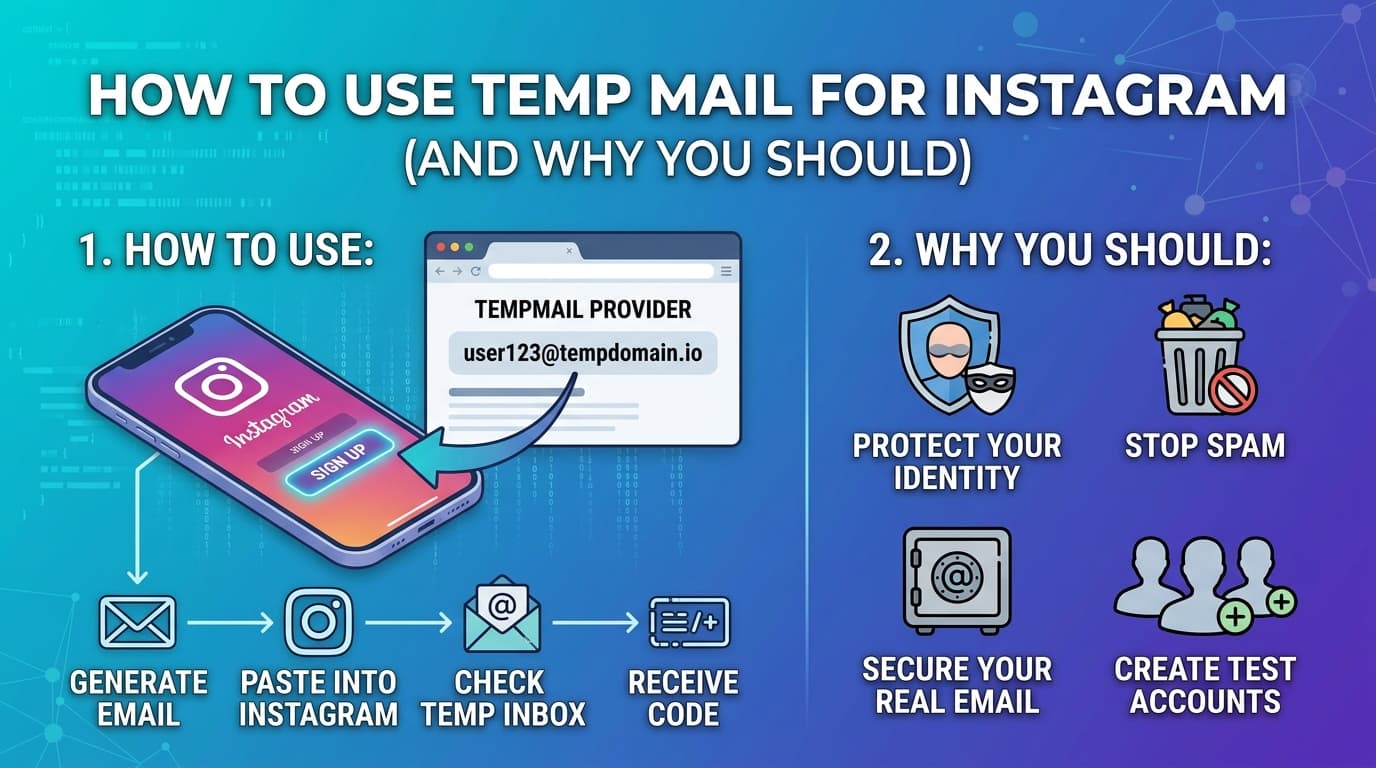
Have you ever created an Instagram account and immediately started getting marketing emails you never asked for? Or maybe you wanted to test a second account without mixing it up with your personal inbox. You're not alone — and there's a simple solution most people overlook: temporary email.
In this guide, we'll cover exactly how to use a disposable email address with Instagram, why people do it, what limitations to expect, and how to avoid common mistakes.
Why People Use Temp Mail for Instagram
Instagram requires an email address to create an account. That's a hard requirement — you can't skip it. But nothing stops you from using a disposable address instead of your real one.
Here are the most common reasons people do this:
Managing multiple accounts. Influencers, social media managers, and agencies often run several Instagram profiles simultaneously. Using a temp email for each secondary account keeps things organized without cluttering a real inbox.
Privacy from third-party apps. Instagram's ecosystem is full of scheduling tools, analytics platforms, and growth services — all of which ask for your email. A disposable address limits how much of your data gets shared.
Testing content performance. Want to see how the algorithm treats a brand new account? Starting fresh with a temp email lets you run clean experiments.
Avoiding spam. Signing up for contests, giveaways, or promotional accounts almost always results in marketing emails. A temp mail absorbs all of that without touching your real inbox.
Ask yourself: How many times have you given your real email to a service you used once and never went back to? Temp mail exists exactly for those situations.
Does Instagram Accept Temporary Email Addresses?
Yes — Instagram does not specifically block all temporary email domains. Whether your temp mail address works depends on the specific domain your temp mail service uses.
Some older, widely-known temp mail domains (like certain Mailinator addresses) are blocked. Services that actively rotate their domains — like InstantTempEmail — work much more reliably because the domains are less likely to appear on Instagram's blocklists.
Practical tip: If one temp mail address gets rejected, try refreshing to get a new address from the same service. Sometimes a different domain from the same provider will go through.
Step-by-Step: Using Temp Mail to Sign Up for Instagram
Step 1 — Get your temporary email address
Go to InstantTempEmail.com. Your disposable inbox is generated immediately — no signup, no personal information needed. Copy the email address shown.
Step 2 — Open Instagram and start registration
Go to Instagram.com or open the app. Tap "Sign up with email or phone number." Paste your temp email address in the email field.
Step 3 — Fill in your details
Enter your name, a username, and a password. These can be anything — they don't have to match your real identity unless you want them to.
Step 4 — Check your temp mail inbox
Instagram will send a 6-digit verification code. Go back to your temp mail tab — the email should arrive within a few seconds. Copy the code.
Step 5 — Complete registration
Enter the code in Instagram. Follow the remaining setup steps (birthday, profile photo, etc.). Your account is now active.
The entire process takes under two minutes.
What Are the Limitations?
Using a temp mail for Instagram is practical but comes with real trade-offs worth knowing upfront.
Account recovery. If you ever get locked out of your Instagram account — forgotten password, suspicious activity, two-factor authentication issues — Instagram will try to reach you by email. If your temp mail has expired, that recovery path is gone. For accounts you plan to keep long-term, either use a permanent email or link a phone number as a backup.
Email lifetime. At InstantTempEmail, your inbox stays active for 7 days. That's longer than most services and more than enough for the initial signup. But if Instagram sends important emails after that window — account warnings, policy updates, two-factor codes — you won't receive them.
Instagram's detection systems. Creating many accounts rapidly from the same device or IP address can trigger Instagram's spam detection, regardless of what email you use. Temp mail is one piece of the puzzle, not a complete anonymity solution.
Is This Against Instagram's Terms of Service?
Instagram's Terms of Service require that information you provide be accurate. However, using a disposable email address does not by itself violate their terms — it's simply an email address. The key is how you use the account, not what email it was registered with.
Creating fake accounts to spam, harass, or manipulate engagement metrics is a violation. Simply using a temp email for a legitimate personal or professional account is not.
Important: Always use Instagram within their community guidelines regardless of how you registered.
Why Privacy Matters More Than You Think
Instagram is owned by Meta — one of the world's largest advertising companies. When you give Instagram your real email address, that address becomes part of your advertising profile. Meta uses it to match you across platforms, build lookalike audiences, and target you with ads even outside of Instagram.
A temporary email doesn't make you invisible to Instagram once you start using the platform — they still track your device, behavior, and connections. But it does reduce the data connection between your Instagram activity and your real-world identity. For many people, that's a meaningful step worth taking.
Frequently Asked Questions
Can I change my Instagram email later? Yes. You can go to Settings → Account → Personal information → Email and update it to a real address at any time. This is the recommended approach if you want to keep the account long-term.
What if Instagram keeps rejecting my temp mail address? Try a different address from the same service — sometimes a different domain works. If that fails, try a different temp mail provider.
Can I use the same temp mail address for multiple Instagram accounts? No — each Instagram account requires a unique email address.
Will Instagram send important notifications to my temp mail? Yes, if the inbox is still active. Once it expires, you'll miss any future emails. Link a phone number if you want reliable notifications.
Is InstantTempEmail free? Yes, completely free. No account needed, no payment required.
Final Thoughts
Using a temporary email for Instagram is practical, legitimate, and takes less than two minutes. Whether you're managing multiple accounts, protecting your privacy, or just avoiding inbox clutter — a disposable email address does the job cleanly.
The one thing to keep in mind: if you plan to use the account seriously long-term, either start with a real email or update it in settings once you've confirmed you want to keep the account.
What's your experience? Have you used temp mail for Instagram or other social platforms? Did it work smoothly or did you run into issues? We'd genuinely like to know — reach out through our contact page.
Next up: our guides on temp mail for Discord, Twitter/X, and TikTok — same approach, with platform-specific details that actually matter.