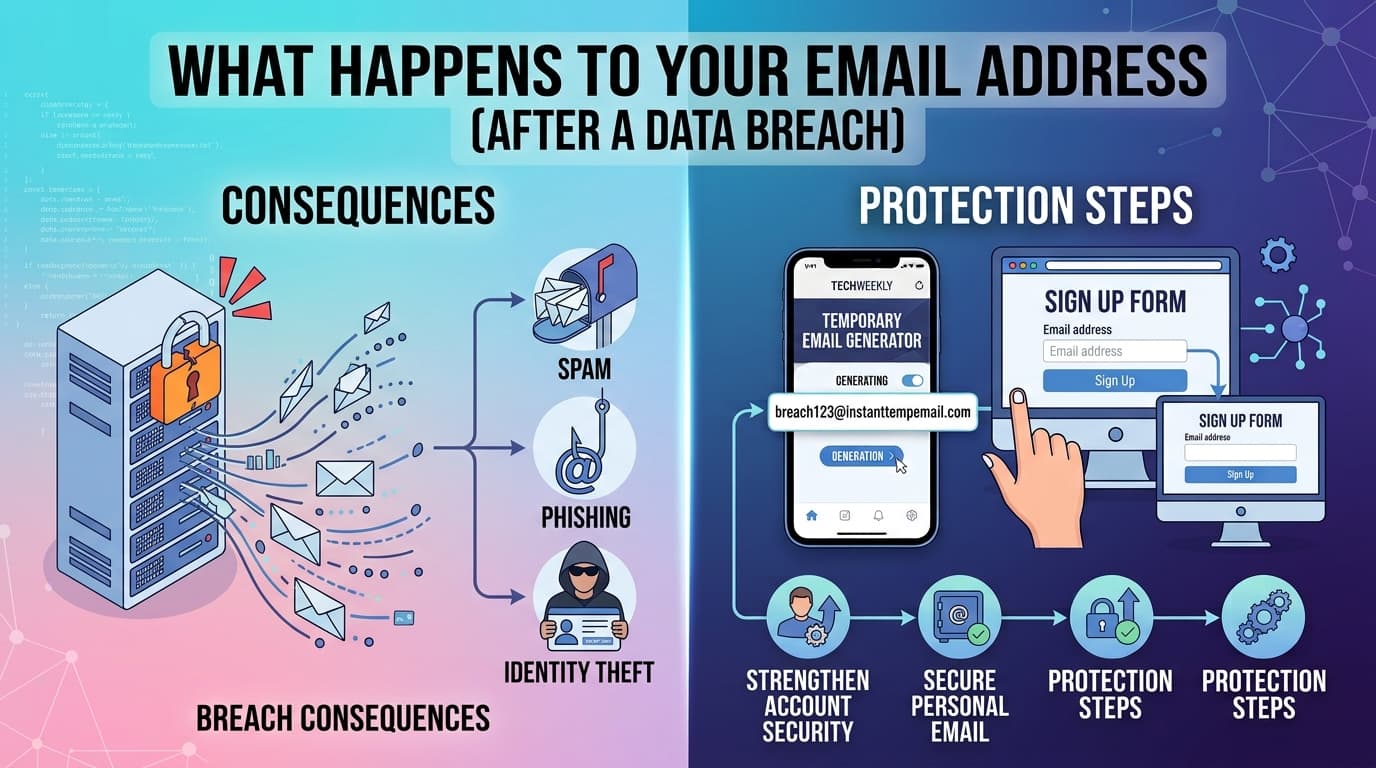
A company you signed up with years ago gets hacked. Their database — including your email address, possibly your password, and other personal data — gets stolen. Then what?
Most people imagine the stolen data disappears into some shadowy corner of the internet. The reality is more organized, more persistent, and more consequential than that.
The Data Breach Timeline
Understanding what happens to your data after a breach helps you respond appropriately and make better decisions before breaches happen.
Phase 1: The breach occurs (Day 0)
An attacker gains unauthorized access to a company's database. This might happen through an unpatched vulnerability, a phishing attack on an employee, compromised credentials, or a misconfigured database left publicly accessible.
The attacker copies the database. This can happen in minutes for small databases, hours or days for large ones. The company may not know it happened yet.
Phase 2: Discovery and disclosure (Days to months later)
The company may discover the breach themselves through monitoring, or they may be notified by a security researcher, law enforcement, or the attackers themselves (in ransomware scenarios).
Under GDPR (Europe), companies are required to notify affected users within 72 hours of discovery. Under various US state laws, notification timelines vary. In practice, many breaches are disclosed weeks or months after they occur — and some are never disclosed at all.
Phase 3: The data goes to market (Immediately to weeks later)
Here's what actually happens to the stolen database:
Scenario A: Sold on dark web marketplaces The attacker lists the database for sale. Prices vary enormously — a database of 1 million email/password pairs from a financial service might sell for thousands of dollars. A database of emails from a gaming site might sell for a few hundred.
Scenario B: Used directly for credential stuffing If the database includes passwords (even hashed ones), attackers run them through password crackers and then try the cracked credentials on high-value targets — banking sites, email providers, e-commerce sites. This is called credential stuffing. It works because most people reuse passwords.
Scenario C: Added to spam lists Even without passwords, email addresses from breaches are valuable to spammers. The addresses are verified real (they were once used to sign up for something) and they get added to bulk email lists.
Scenario D: Used for targeted phishing If the breach included additional context — what service you used, your username, purchase history — attackers can craft convincing phishing emails that reference specific details to appear legitimate.
Phase 4: The data circulates indefinitely
This is the part most people don't understand: breached data doesn't expire or disappear.
Once a database is sold once, it gets resold. It gets combined with other breach databases into "combo lists" — massive collections of email/password pairs from hundreds of breaches merged together. Some combo lists contain billions of records.
An email address from a breach in 2015 is still circulating in spam lists and combo lists in 2026. The data from major breaches — LinkedIn 2012, Adobe 2013, Yahoo 2013-2016 — is still actively used in attacks today.
How to Check If Your Email Has Been Breached
HaveIBeenPwned (haveibeenpwned.com) is the most comprehensive free tool for checking if your email appears in known breach databases. It was built by security researcher Troy Hunt and tracks hundreds of major breaches.
Enter your email address and it tells you:
- Which breaches your address appeared in
- What data was exposed in each breach (email, password, username, IP address, etc.)
- The date of each breach
This is useful for understanding your historical exposure. It won't catch breaches that haven't been publicly disclosed yet.
Mozilla Monitor (monitor.mozilla.org) uses the same HaveIBeenPwned database and adds ongoing monitoring — it alerts you when your address appears in new breaches.
What To Do Immediately After a Breach Notification
If you receive a notification that your email (and possibly password) was exposed in a breach, act in this order:
1. Change the password on the breached service Even if the company says passwords were "hashed," change it. Hashing algorithms vary in strength, and older breaches often used weak hashing (MD5) that can be cracked quickly.
2. Check if you reused that password anywhere else If you used the same password on other services — especially email, banking, or social accounts — change it on those services immediately. Credential stuffing attacks specifically exploit password reuse.
3. Enable two-factor authentication on important accounts Email-based 2FA is better than nothing. Authenticator app (Google Authenticator, Authy) or hardware key (YubiKey) is significantly better than email-based 2FA.
4. Watch for phishing attempts Breaches that exposed contextual data (what service you used, your username, purchase history) are followed by targeted phishing campaigns. Be extra skeptical of emails that reference specific account details over the next few weeks.
5. Monitor your financial accounts If the breach included payment data, monitor your card statements for unauthorized charges. Report unauthorized charges to your bank immediately.
How Temporary Email Limits Breach Damage
Using a temporary or disposable email address for non-essential signups directly limits your breach exposure.
When you use a temp address for a service that later gets breached:
- The breached database contains
xk7p2m@instanttempemail.com— an expired, random address with no link to your identity - Your real email address is not in the database
- You receive no phishing emails at your real address because the breach data doesn't include it
- Credential stuffing attacks using that address go nowhere because the address is dead
This is one of the most concrete, practical privacy benefits of disposable email — it limits the blast radius of any individual breach to just that service, with no spillover to your real identity or other accounts.
The temp address can still be used in phishing campaigns, but since the inbox is expired, the phishing emails go nowhere and you never see them.
The Password Reuse Problem
Data breaches are most dangerous when they expose passwords that are reused across multiple services. Understanding this helps explain why both breach hygiene and email hygiene matter together.
A typical credential stuffing attack works like this:
- Attacker purchases a combo list with 500 million email/password pairs from various breaches
- They write a script that tries each pair against a target service (Gmail, PayPal, Amazon)
- A small percentage — even 0.1% — will successfully log in because those users reused the password
- Those accounts are now compromised
The defense is straightforward but requires discipline:
Use a password manager. 1Password, Bitwarden (open source, free), or Dashlane generate and store unique random passwords for every service. You never reuse a password because you never need to remember passwords.
Use unique passwords for every service. With a password manager, this is effortless. Without one, it's genuinely difficult — which is why most people don't do it, and why credential stuffing works.
Combining unique passwords with disposable emails for low-value services means a breach at any one service exposes nothing useful for attacking other services.
Why Some Companies Don't Disclose Breaches
Not every breach becomes public knowledge. Companies may:
- Be unaware they were breached (attackers are often stealthy)
- Quietly fix the vulnerability and hope no one notices
- Underestimate the scope of what was accessed
- Be in jurisdictions with weak or no disclosure requirements
- Delay disclosure while investigating, sometimes for months
This means your email may appear in breach databases that HaveIBeenPwned doesn't know about. The undisclosed breach problem is why using disposable addresses for low-trust services is valuable even if you've never received a breach notification — you may have been breached without knowing.
Frequently Asked Questions
If my email was in a breach but my password wasn't, am I safe? Safer, but not safe. Email-only breaches feed spam lists and make you a target for phishing. They're also combined with other breach data to build richer profiles of potential targets. Change nothing, but be more alert to suspicious emails.
Can I get my data removed from breach databases? From the breach databases used by services like HaveIBeenPwned — no, and you wouldn't want to. Those databases are what enable you to check your exposure. From the spam lists and combo lists circulating among attackers — no. Once data is in these lists, there's no removal mechanism.
Is it worth paying for identity theft protection services? They vary in value. The core feature — monitoring your personal data across breach databases — is available free via HaveIBeenPwned and Mozilla Monitor. Paid services add insurance, credit monitoring, and assisted recovery services, which have value if you've already been impacted by identity theft. For breach monitoring alone, the free tools are sufficient.
How do attackers know which email/password pairs to try where? Combo lists often include metadata about where the credentials came from. Attackers also use probability — if they have your email and a password, they try the most common high-value targets first: Gmail, Outlook, PayPal, Amazon, major banks. They automate this process across millions of credentials.
My password was exposed but it was hashed. Should I still change it? Yes. Hashing strength varies. MD5 and SHA1 hashes (used by many older services) can be cracked in minutes using GPU-based tools and rainbow tables. Even bcrypt-hashed passwords can be cracked given enough time and computing power if the password was weak. Change it regardless.