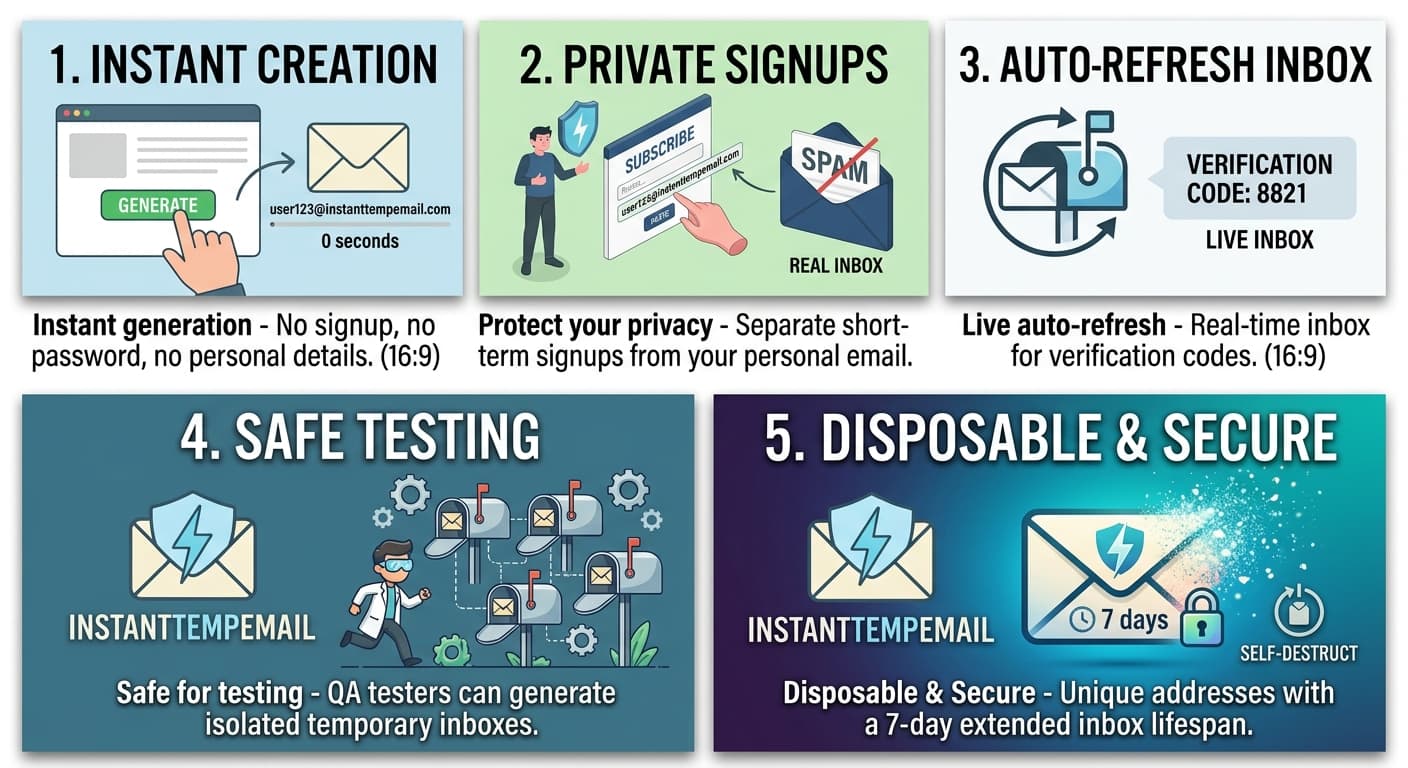
A temporary email address (also called a disposable email, throwaway email, or fake email) is a short-lived inbox you can use instead of your real address. It receives emails normally — but it belongs to no one, stores nothing permanently, and disappears automatically.
You don't create an account. You don't set a password. You visit a service like InstantTempEmail, and an address is generated for you instantly.
One-line answer: A temporary email is a real, functional inbox that isn't linked to your identity and expires automatically.
How a Temporary Email Actually Works
Understanding the mechanics helps you use it smarter.
When you visit a temp mail service, here's what happens technically:
- Address generation — The server generates a random username (e.g.
xk7p2m@instanttempemail.com) and registers it in a live mail server - MX records — The domain has MX (Mail Exchange) DNS records pointing to that server, so any email sent to that address is routed and received correctly
- Inbox polling — Your browser polls the server every few seconds (or uses WebSockets for real-time delivery) to check for new messages
- Auto-expiry — After a set period (10 minutes, 1 hour, 24 hours depending on the service), the address is deactivated and all messages are deleted
The address is fully functional during its lifetime. It passes email validation checks. It receives HTML emails, plain text, attachments, and verification codes.
What It Can and Cannot Do
Temporary email can:
- ✅ Receive emails
- ✅ Free to use — always
- ✅ Passes email validation
- ✅ No signup or identity required
Temporary email cannot:
- ❌ Send emails
- ❌ Persist permanently
- ❌ Work for SMS verification
Regular email does all of the above, but requires signup and is linked to your identity.
Why Your Real Email Is a Liability
Every time you type your real email into a signup form, you're making a bet that the company:
- Won't spam you
- Won't sell your data to third parties
- Won't get breached and expose your address
- Will actually let you unsubscribe cleanly
That bet loses more often than you'd think.
The Data Broker Problem
When you sign up for a free app, coupon site, or newsletter, your email often gets sold to data brokers — companies that aggregate personal information and resell it. Your address ends up in lists that get sold hundreds of times. This is why you start receiving spam from companies you've never heard of.
The Breach Problem
According to breach databases like HaveIBeenPwned, billions of email addresses have been exposed in data breaches. Once your address is in a breach dump, it circulates in spam lists and phishing databases for years.
The Tracking Problem
Email addresses are used as persistent identifiers. Ad networks use them to track you across devices and platforms. When you log into Facebook with an email you also used on a shopping site, both companies can link your activity. This is called cross-site tracking via email hashing.
A temporary email breaks all three of these chains because the address is never linked to you in the first place.
Step-by-Step: How to Use a Temporary Email
Using a temp email takes about 10 seconds. Here's the exact flow:
Step 1 — Go to the service
Open InstantTempEmail. A unique email address is auto-generated immediately. No account, no captcha.
Step 2 — Copy the address
Click the copy button next to the address. It's now in your clipboard.
Step 3 — Paste it in the signup form
Go to whatever site you're signing up for. Paste the temp address in the email field. Submit the form.
Step 4 — Wait for the verification email
Go back to InstantTempEmail. The verification email (or welcome email) arrives within seconds. Click the confirm link directly from the inbox.
Step 5 — You're done
The account is verified. You never need to go back to the temp inbox. If the site starts sending marketing emails, they go nowhere — your real inbox stays clean.
When Should You Use a Temporary Email?
Use a temp email in any situation where you need to provide an email address but don't actually need ongoing communication with that service.
Free Trials
Free trials almost always require an email to start, and they almost always send aggressive marketing emails after the trial ends (or before, to prevent you from cancelling). Use a temp address to activate the trial without the follow-up spam.
Downloading Gated Content
Ebooks, whitepapers, templates, and tools are frequently locked behind an email gate. The download is free — but you're paying with your inbox. A temp email gets you the file without the newsletter subscription.
Forum and Community Signups
You want to read a forum thread or ask one question in a community you'll probably never return to. Creating an account requires an email. Use a disposable address.
Testing Websites and Apps
If you're a developer or QA tester, you frequently need to create test accounts — for registration flows, email verification testing, onboarding sequences. Temp emails let you create dozens of test accounts without polluting a real inbox or managing multiple real accounts.
Deals and Discount Codes
Many e-commerce sites offer first-order discounts to new email subscribers. If you only want the discount and not the ongoing emails, a temp address is the right tool.
Situations Where You Should NOT Use a Temporary Email
- Banking and financial services — You need reliable access to that inbox for security alerts and password recovery
- Primary work or personal accounts — Anything you'll need to log into again
- Services that detect disposable emails — Some platforms blocklist known temp mail domains and will reject the address
- Legal or compliance situations — Any context where a real, verifiable identity is required
Temporary Email vs Other Privacy Tools
Temporary Email vs Gmail + Trick
Gmail lets you add a +tag to your address (e.g. yourname+spam@gmail.com). Emails still go to your real inbox, and senders can easily strip the tag and still identify your base address. It's useful for filtering but provides no real privacy.
A temp email is completely unlinked from your identity. There's no base address to strip.
Temporary Email vs Email Alias Services
Services like SimpleLogin or AnonAddy create permanent aliases that forward to your real inbox. This is more powerful than temp email for long-term use — you can disable a specific alias if it gets spammed. The trade-off is they require account setup and sometimes a paid plan.
Temp email is better for one-time use. Alias services are better when you need the account to remain accessible.
Temporary Email vs VPN
A VPN hides your IP address. It does nothing for email privacy. These tools solve different problems. You can and should use both if privacy matters to you.
How Services Detect and Block Temporary Emails
Some platforms try to block disposable addresses. Here's how they do it:
- Domain blocklists — They maintain lists of known temp mail domains and reject addresses from those domains
- MX record checks — They verify that the domain has valid mail server records (most temp mail services pass this)
- Disposable email APIs — Services like Kickbox or ZeroBounce provide APIs that flag known disposable domains in real time
- Behavioral signals — Very fast signups, no engagement, immediate unsubscribes
High-quality temp mail services rotate domains frequently to stay ahead of blocklists. If one domain gets blocked, they add a new one.
Frequently Asked Questions
Is using a temporary email legal? Yes, completely. You're not misrepresenting your identity in any legally meaningful way — you're simply choosing not to share your personal contact information. There is no law in any jurisdiction that requires you to provide a real email address to sign up for a commercial service.
Can I receive attachments in a temporary email? Yes. Temporary emails receive all standard email content including HTML, images, and file attachments, as long as the email itself is delivered to the inbox.
Will my temp email address work for two-factor authentication? It will work if the 2FA is email-based (a code sent to your inbox). It won't work for SMS-based 2FA, which requires a phone number.
How long does a temporary email last? Depends on the service. Most last between 10 minutes and 24 hours. Some services let you extend the lifetime manually.
Can the site I signed up with detect that I used a temp email? Some sites check against disposable email domain lists. If your temp mail service uses a well-maintained, frequently-rotated domain, most sites won't detect it. High-traffic platforms (Google, Apple, major banks) are more aggressive about detection.
What happens to my emails after the address expires? They are permanently deleted from the server. There is no archive, no backup, no way to recover them. This is by design.
Can someone else access my temporary inbox? Technically yes — if someone knows your exact temp address, they can view the inbox, since there's no password. In practice this is extremely unlikely given that addresses are randomly generated. Don't use temp email for anything sensitive.